If the player is blocked or does not start, use the YouTube link or read the description below.
Read the video description
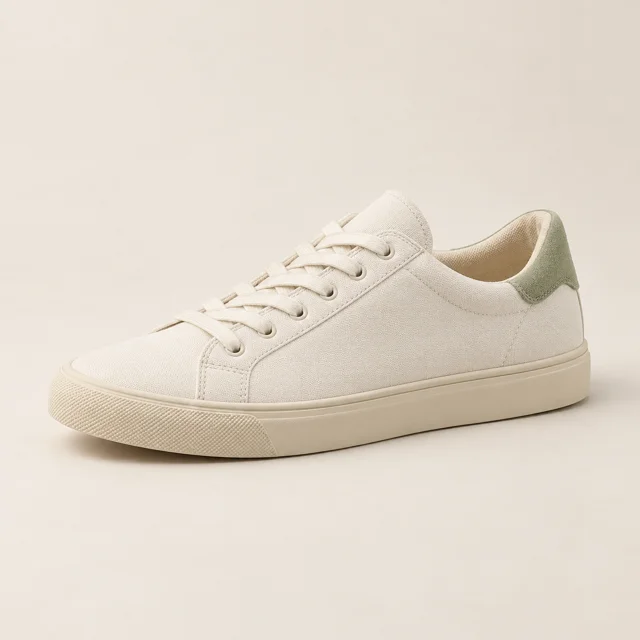
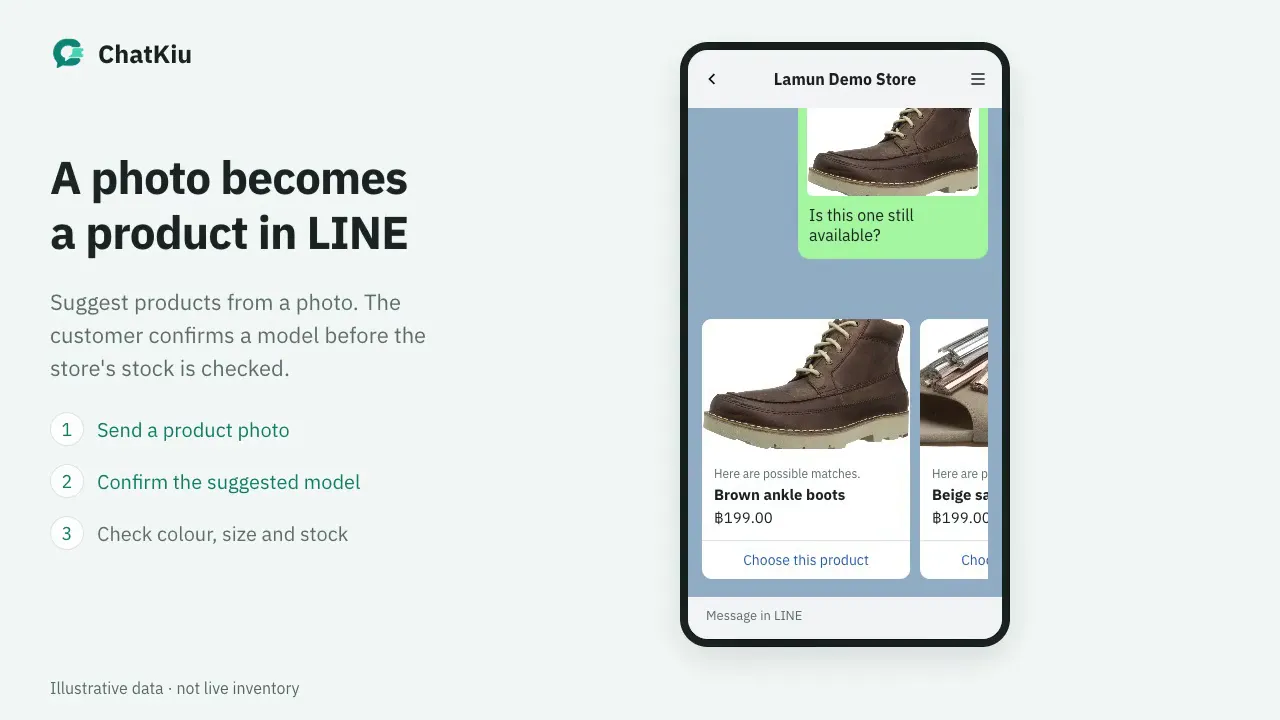
A customer sends a sneaker photo in LINE. Sample similar products appear with names and prices. The customer selects an item and sees the available size and stock information for that product.
Animated demo based on the system UI, with sample shop and customer data.
Three steps to start. No code needed.
1
Connect your LINE OA
Paste three credentials from LINE Developers — we set up the webhook for you.
Channel ID
••••6829
Channel secret
••••••••
Channel access token
••••••••
LINE connected
2
Start from a ready-made pack
About 30 ready-made salon answers — edit any of them.
Salon
30 ready answers · edit any
3
The bot answers instantly
Customers get answers any hour. Want to reply yourself? Pause the bot on that one chat.
When a customer types
pricehow much
→
Haircut 300฿ · Colour 1,500฿
Behind every messageSample workflow
LINE OA messages
Customers ask about prices, hours or location
Rich menu
A tap starts a conversation or booking
LIFF booking
Customers choose a service and a time
ChatKiu
Receive the LINE message
Match the shop’s reply rules
Check bot or staff mode
Reserve slots and send reminders
Your shop’s answers
Thai or English to match the customer
Confirmed bookings
Hold the slot, prevent clashes, send reminders
Staff handoff
Pause the bot in this chat for your team
AI from your shop knowledge
Use published shop knowledge with prepaid credits and spending limits
Grows with your shop. Only what you need.
AI plan
AI-assisted answers
AI answers from shop knowledge and finds products from photos, with choices, current stock and a budget you control.
When can I wash my hair after colouring?
Wait 48 hours before the first wash.
Answers from published shop knowledge
AI budget this month · ฿212 of ฿500
Auto replies
Rule-based replies
Write answers in your own words — replies go out in Thai or English to match each customer, with per-chat pause.
ไทย
ราคาเท่าไหร่คะ
ตัดผม 300฿ ค่ะ
English
How much is a haircut?
Haircut is 300฿.
Bookings
Bookings inside chat
Customers book through LIFF without messaging — the system manages the queue, sends reminders, and syncs to Google Sheets.
Saturday
10:00
11:30Full
13:00
14:00
15:30
17:00
Queue ticket
Lamoon Salon
A-014
Queue ticket
Hair colour · 90 min
Queue ticket
Sat 14:00
Queue ticket
with Noon
Your team
Staff handoff
Any chat that needs a human gets one tap — your team replies from the same inbox and the bot resumes when it's done.
Can I talk to someone?
Bot paused here · Noon took over
Sure — Noon here, let me help.
Hand back to bot
Sample data shown
Send a message. Watch the bot answer.
Type like a customer would — replies come from the same matching system shops run, right in your browser.
LLamoon SalonDemo
Lamoon Salon's rules
Five sample rules — type and watch which one answers
Greeting
hellohihey
Hi there! 😊 We're open 10:00–20:00. Type “book” to grab a slot.
Opening hours
openclosehours
We're open Tue–Sun 10:00–20:00 (closed Mondays).
Prices
pricehow muchcost
Haircut 300฿ · Colour 1,500฿ · Facial 500฿.
Booking
bookappointment
You can book right away — tap “Book” in the menu below and we hold the slot instantly.
Location
whereaddresslocation
We're at Sukhumvit 101/1, near BTS Punnawithi exit 2.
When the bot doesn't understand
Hands over to staff
Launch prices
A plan for your shop. Room to grow.
Start with chat replies and a food catalog. Add bookings and pickup orders when you need them. Try Auto replies or Bookings + pickup orders for 14 days without a credit card. The AI plan is available with separately purchased credits.
Choose your billing period
Pay yearly for the price of 10 months
Auto replies
Answer everyday questions, manage chats, and show food photos and prices.
Add AI answers from your shop’s published knowledge. Subscribe to the AI plan and buy usage credits separately.
฿1,499/ month
฿14,990 billed yearly
Yearly equivalent: ฿1,249.17/month
Everything in Bookings + pickup orders
AI answers from your shop’s documents
Product catalog, color/size stock and photo search
Separate prepaid AI credits, with daily and monthly limits
Each new AI answer successfully sent costs ฿0.10. FAQ and exact cached replies use no AI credits. Credits are purchased separately and are not included in the subscription fee.
Sign in or create an account, then choose AI answers in Billing. Add credits, publish reviewed shop knowledge and enable AI in AI & credits. Creating an account alone does not start a subscription or enable AI.
Compare the three plansView all features
Compare the three plans
Feature
Auto replies
Bookings + pickup orders
AI answers
Bilingual Thai/English reply rules
Included
Included
Included
Rich menus and chat previews
Included
Included
Included
Shared inbox + per-chat bot pause
Included
Included
Included
Food catalog with photos, prices, and details
Included
Included
Included
LIFF booking with slot locking
Not included
Included
Included
Reminders + Google Sheets sync
Not included
Included
Included
Services and team management
Not included
Included
Included
Multi-item cart + order totals
Not included
Included
Included
PromptPay QR + save and share QR
Not included
Included
Included
Pickup order status management
Not included
Included
Included
AI answers from shop knowledge (separate usage credits)
Not included
Not included
Included
Product catalog, color/size stock and photo search
Not included
Not included
Included
Sign in or create an account, then choose AI answers in Billing. Add credits, publish reviewed shop knowledge and enable AI in AI & credits. Creating an account alone does not start a subscription or enable AI.
Want help getting set up? ฿1,490 once
Optional assisted setup: connect one LINE OA, configure the initial replies, and check the first reply together. Confirm the scope before starting; ongoing content work and custom integrations are separate.
Set up Auto replies yourself with the step-by-step guide. Assisted setup is optional.
Review the plan, billing period and amount in checkout before paying. Choosing a paid subscription starts payment immediately and ends any remaining trial. The Auto replies and booking trial does not auto-charge.
ChatKiu prices exclude your LINE OA plan fees. Outbound Push messages use your shop’s LINE Messaging API quota. Food orders are for pickup only, with no delivery. Your shop must check PromptPay transfers and confirm payment; funds are not verified automatically.
Your questions. Before you get started.
Do I need a LINE OA already?+
Yes — the system connects to your shop's LINE Official Account. If you don't have one yet, it's free to create in LINE Official Account Manager, then come back and connect.
Will my existing chats disappear?+
No — your chat history stays in LINE OA as before. We only pick up new messages and answer them for you.
Can I cancel anytime?+
Anytime, no lock-in — and your customer and booking data is exportable.
Does it support English?+
Yes — every answer can be written as a Thai/English pair, and the system replies in whichever language the customer uses.
What happens after the 14-day free trial?+
The Auto replies and booking trial needs no credit card and does not auto-charge. AI requires a paid plan and separately purchased credits. Choosing a paid subscription starts payment immediately and ends any remaining trial; checkout shows the plan, billing period and amount before you confirm.
How much are the launch plans?+
Auto replies costs ฿299/month or ฿2,990/year. Bookings + pickup orders costs ฿699/month or ฿6,990/year. The AI answers plan is available at ฿1,499/month or ฿14,990/year. AI credits are purchased separately, at ฿0.10 per new answer successfully sent; FAQ and exact cached replies use no AI credits. Subscription fees do not include AI credits.
Does the yearly price mean I pay every month?+
No. The yearly option is one payment for 12 months, at the price of 10 monthly payments. The equivalent monthly amount is the yearly total divided by 12; it is not a monthly instalment.
Are LINE OA fees included?+
Your LINE OA plan fees are separate from ChatKiu. Outbound Push messages, including booking reminders, count against your shop’s LINE Messaging API quota.
Can I use the AI plan today?+
Yes. Choose the AI plan at ฿1,499/month or ฿14,990/year and purchase credits separately. Publish reviewed shop knowledge and enable AI in AI & credits. Delivered new answers cost ฿0.10 and photo searches ฿0.02 per photo. FAQ and cached replies use no AI credits. Set daily and monthly limits. Credits on another plan do not unlock AI.
Do I have to pay for setup?+
No. You can set up Auto replies yourself using the guide. Optional assisted setup costs ฿1,490 once for one LINE OA, initial replies and a first-reply check together. We agree the scope before starting; ongoing content work and custom integrations are separate.
Can customers find a product by sending a photo?+
Yes, on the AI plan. Add up to 10 JPG/PNG photos per product and enable photo search. Customers get possible matches or similar alternatives in a carousel, then select a product to read current stock. Insufficient photos prompt a clearer image. Identification is not guaranteed for every image; this does not reserve stock or confirm payment.
Let the chat answer itself You handle the customers who need you
Create your shop, connect LINE OA and follow the setup guide. Try Auto replies and bookings for 14 days without a credit card. AI requires a paid plan and separately purchased credits.
Essential cookies keep the site working and remember your preferences. Optional analytics cookies are your choice. You can use the site without them and change your decision anytime.
Essential cookies are always onAnalytics cookies are optional