 ChatKiu
AI product photo search in LINE
Customers send photos of shoes, clothing, bags or other products in LINE OA. ChatKiu searches your shop catalog, offers likely or similar products to choose from, then shows the current color, size and stock recorded by your shop. Staff spend less time scrolling through product images.
The 14-day free trial covers reply rules and bookings. Photo search requires an active AI plan, enabled search and credits. LINE OA fees are separate.
Try product search in this shoe-shop example
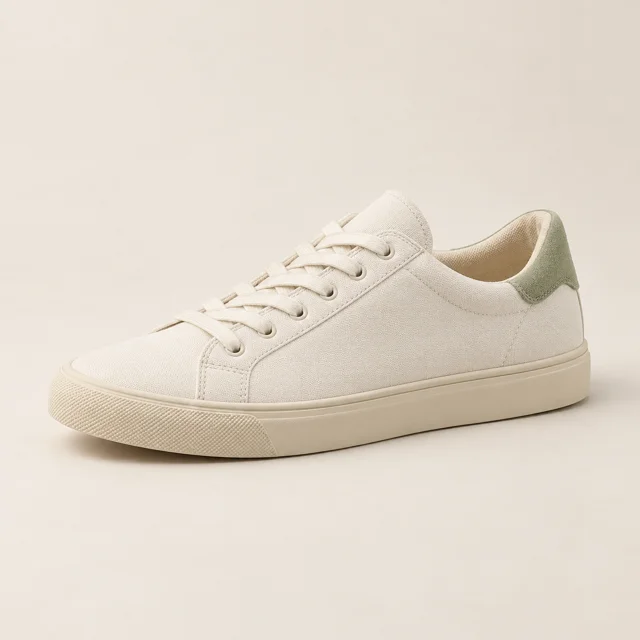 Do you have this in size 38?
Your shop assistant
Here’s a possible match. Choose it to check stock.
Canvas Everyday sneaker
฿890.00

From a product photo to choices and current stock.
Illustrative demo with fictional shop and product data
From a customer photo to a product they can choose
Prepare product photos and stock
Add a name, SKU, price, colors, sizes and stock, with up to 10 photos per product. Different angles can show details that distinguish one model from another.
Enable photo search when your catalog is ready
Upload and edit products before enabling search. While search is disabled, new images are not sent for indexing. Enabling search starts preparing catalog images for retrieval.
Let customers choose a likely match
AI compares the customer photo with your catalog. Multiple suggestions appear as a swipeable carousel in LINE. A similar image does not automatically mean the same product.
Read current variant stock after selection
The system reads the stock recorded by your shop after the customer chooses a product. Keep those quantities updated. Checking stock does not reserve an item or confirm an order.
Shoes, clothing, bags and other shop products
For shops receiving product photos or screenshots of their posts: shoes in several sizes, clothing in different colors, or bags across multiple models. Search uses the catalog images added by your shop and is not limited to shoes. Customers select a product card to see variants and stock maintained by the shop. Staff can help confirm unclear photos or similar models.
Know what photo search can and cannot do
- Clear customer photos and multiple catalog angles provide more detail to compare. They do not guarantee a correct match for every image.
- Similar models, blurry or obstructed images, and products absent from the catalog may need another photo or staff confirmation.
- Search uses your shop catalog, not every store on the internet. It does not verify bank transfers.
Membership does not include AI credits. Successful photo searches cost 0.02 THB per photo; successfully sent new AI text answers cost 0.10 THB each. Both share one prepaid balance. FAQ and cached answers use no AI credits.
A 100 THB balance covers up to 5,000 photo searches if used only for photo search. Using the same balance for text answers reduces the number of photo searches remaining.
Before you enable product photo search
Does AI product photo search in LINE support clothing, bags and other products?
Yes. Search is not limited to shoes. Shops add images and details for their own clothing, bags or other products. Customers send a photo in LINE OA and select a likely or similar item to view its recorded variants and stock. Matching depends on image quality, visible details and how similar the products are.
How many images can a product have, and when are they indexed?
Each product supports up to 10 images. Uploading or editing products while photo search is disabled does not send new images for indexing. Enabling search starts preparing the catalog images.
What happens with a blurry photo or several similar models?
The system may offer similar products for the customer to choose. When information is insufficient, another clearer photo or staff assistance may be needed. Image similarity is not proof of the same model.
Does photo search place an order or deduct stock?
No. It offers product selection and reads stock recorded by the shop. Showing availability does not reserve inventory, deduct stock, confirm an order or verify payment.
Is photo search included in other plans?
Photo search requires an active AI plan, sufficient credits and enabled search in the product settings. Other plans and the reply-rule/booking free trial do not include photo search.